
When Photos Contradict Text
Using ColPali and SQL Server 2025 to find visual defects that inspection reports don't mention

I built 40 fake inspection reports and ran visual search against them to see what it catches.
Report 6 had severe water staining on a basement wall. Dark vertical streaks covering the concrete. A moisture meter reads 25%. The text says “no signs of moisture intrusion or water damage.”
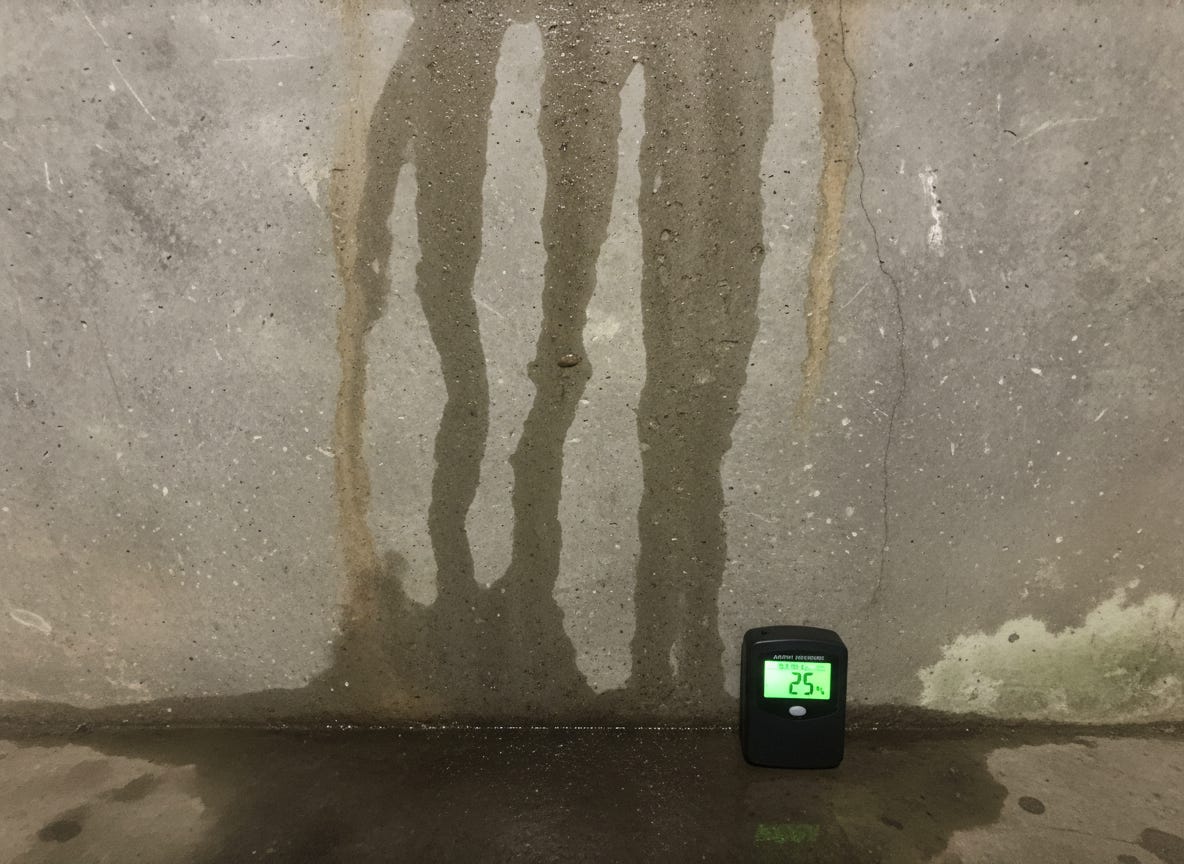
Visual search ranked Report 6 first with a score of 12.5. The closest control report, showing an actually pristine basement, scored 10.9. The system found what the text denied.
Most document search extracts text and builds an index. When you search for “water damage,” the system looks for those words. If the inspector writes “basement appears dry” while photographing water stains, you may not get a hit.
This matters when text and visuals diverge. Inspection reports where inspectors use vague language but photograph clear defects. Insurance claims where damage photos contradict written assessments. Medical imaging where radiologist notes focus on primary findings but scans show other concerns.
ColPali treats the entire page as an image. No text extraction. The model processes each page visually, divides it into small patches, and generates embeddings that capture both visual and textual features.
When you search for “foundation crack,” the system matches your query against these image patches. It finds visual patterns, not just text mentions. A photo of a diagonal crack in concrete matches the query even when the report says “foundation appears sound.”
The model comes from vision-language research. It combines a vision encoder with a language model to understand both what appears on the page and what those visual elements mean. In our example, each inspection PDF page gets divided into patches (think of them as small tiles). Each patch gets an embedding vector that represents its content.
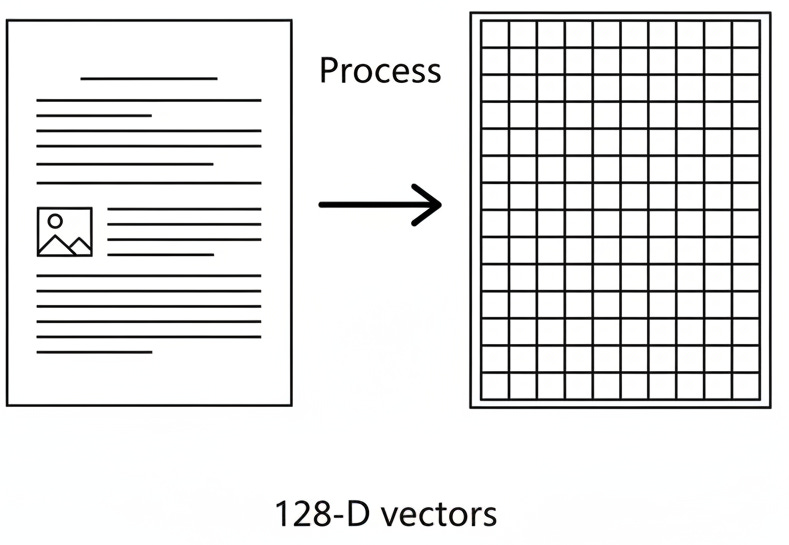
I used SQL Server 2025 to store these as 128-dimensional vectors using the VECTOR datatype. I then used VECTOR_DISTANCE to calculate similarity. When you search, your query phrase itself gets tokenized and each word gets embedded. The MaxSim algorithm finds the best matching patch for each query word and sums those scores.
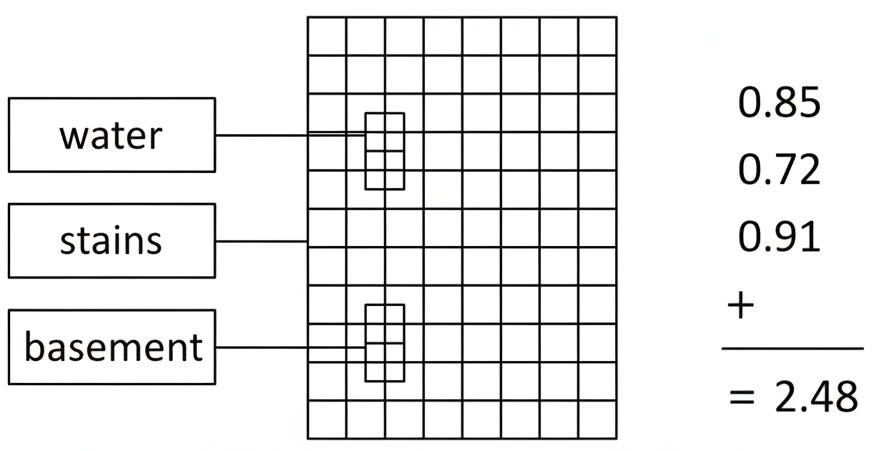
The entire search then happens inside the database with no external API calls after initial embedding generation.
The search uses maximum similarity scoring. For each word in your query, the system finds the single best matching patch on each page. Sum those maximum similarities across all query words to get a total score per page.
WITH QueryTokens AS (
    -- Get embeddings for each word in the search phrase
    SELECT token_number, embedding as query_embedding
    FROM dbo.QueryEmbeddings
    WHERE category = 'water_damage'
      AND query_text = 'water stains basement'
),
PagePatchSimilarities AS (
    -- For each query word, find the best matching patch on each page
    SELECT
        qt.token_number,
        pe.report_number,
        pe.page_number,
        MAX(1.0 - VECTOR_DISTANCE('cosine', qt.query_embedding, pe.embedding)) as max_similarity
    FROM QueryTokens qt
    CROSS JOIN dbo.PageEmbeddings pe
    GROUP BY qt.token_number, pe.report_number, pe.page_number
),
PageMaxSim AS (
    -- Sum the max similarities = MaxSim score per page
    SELECT
        report_number,
        page_number,
        SUM(max_similarity) as maxsim_score
    FROM PagePatchSimilarities
    GROUP BY report_number, page_number
)
SELECT TOP 10
    report_number,
    page_number,
    maxsim_score
FROM PageMaxSim
ORDER BY maxsim_score DESC;
The CROSS JOIN is intentional. For each query word, we need to compare against every patch on every page to find the maximum. SQL Server’s VECTOR_DISTANCE function calculates cosine similarity between the query word embedding and each patch embedding.
The GROUP BY with MAX finds the single best patch per page for each word. Then we sum across all words to get the final score. Pages with strong visual matches for all query words rank highest.
I used Gemini Flash Image 2.5 to generate the photorealistic images for 40 inspection reports:
20 reports showing defects across 6 categories (foundation cracks, water damage, electrical rust, mold growth, roof damage, plumbing leaks).
20 control reports showing pristine conditions in those same categories.
This isn’t a production scenario. It’s a controlled test to answer one question. Can the system distinguish actual defects from pristine conditions, or does it just match object categories?
I processed all 40 reports through ColPali using Python. Each page generated ~1K patch embeddings. Each patch is a 128-dimensional vector. 78,280 vectors total loaded into SQL Server 2025. Then I ran 24 queries, four per defect category, using the MaxSim T-SQL shown above.
The system found every defect report as expected.
What matters is the score separation. Defect reports consistently scored far higher than control reports.
For “water stains basement,” Report 6 scored 12.5. The highest control report (actually pristine basement) scored 10.9. Average defect score was 8.04 vs control 7.22.
For “diagonal crack in basement wall,” Report 3 scored 14.6. Report 2 scored 14.0. The highest control report scored 11.8.
Visual search can find content that text doesn’t describe. The system distinguishes actual defects from pristine conditions based on visual features, not just object categories.
The cost is storage. About 78,000 vectors for 40 two-page reports. But query performance after that is pure SQL Server vector search using exact nearest neighbor (you can use ANN too with an index, but I didn’t for these tests given the small data size).
Python generates the embeddings using the ColPali model from Hugging Face. I used the vidore/colpali-v1.2 model, which outputs 128-dimensional vectors per patch.
If you want to skip embedding yourself, the complete test dataset with all 40 inspection reports, the SQL Server database backup, and setup instructions are available in the ColPali Inspection Reports repositor. The 40-report test set with deliberate text-photo contradictions demonstrates the core capability. Real applications would load actual document corpora and use production-grade vector indexes.
References:
ColPali project and model: vidore/colpali-v1.2 on Hugging Face
Paper: Faysse, M., Sibille, H., Wu, T., Omrani, B., Viaud, G., Hudelot, C., & Colombo, P. (2024). “ColPali: Efficient Document Retrieval with Vision Language Models.” Published at ICLR 2025. [arXiv:2407.01449